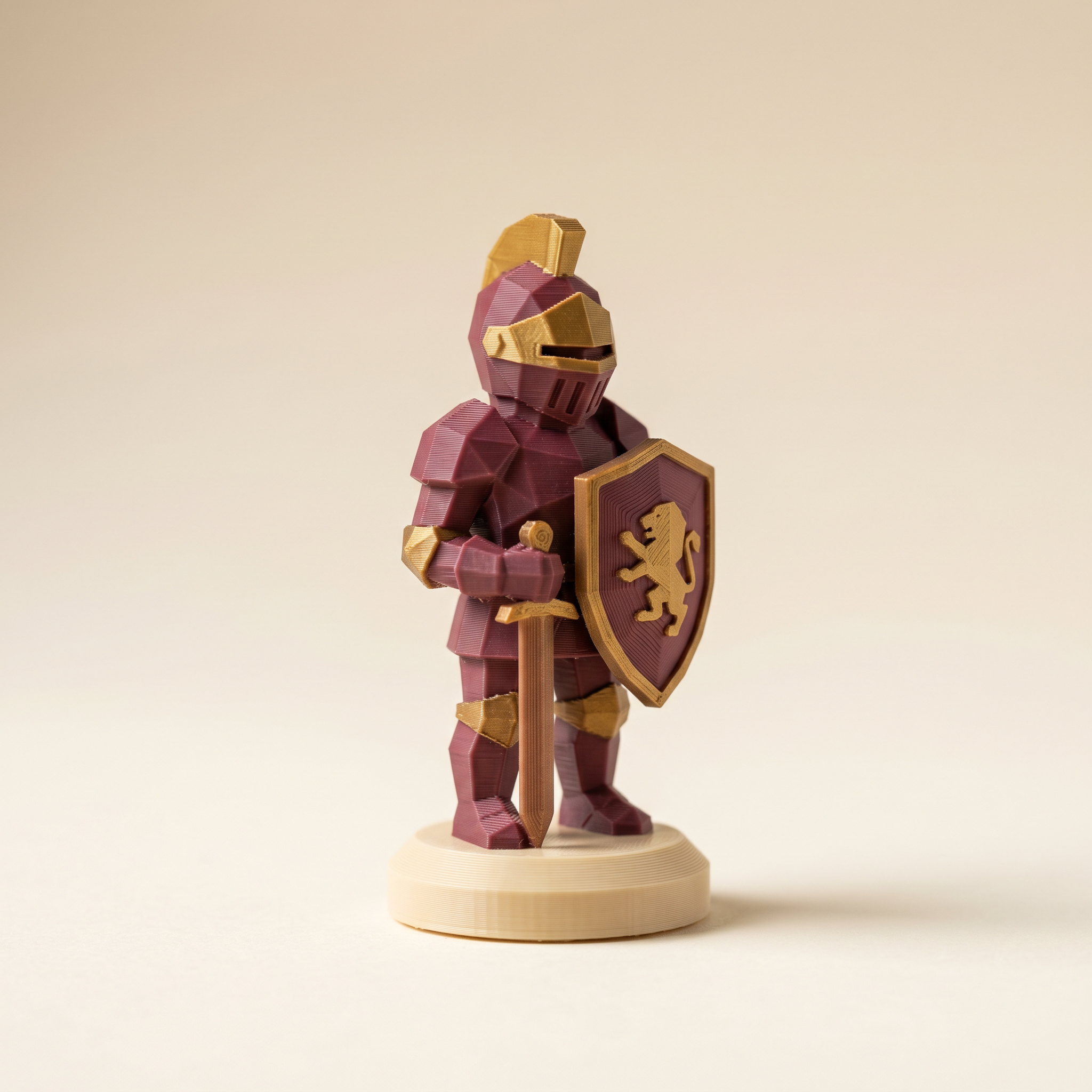
TL;DR: Bambu's Color Mixing and a painted 3MF solve different problems. Color Mixing blends thin filament bands to fake a color you don't own — strong on vertical walls, but it shows its stripes on slopes, tops, and fine detail because it only knows layer height. A painted 3MF assigns a real filament slot per triangle, so the right color lands on the right geometry. Here's when to use each, and how to stack them.
What does Bambu's Color Mixing actually do?
Color Mixing prints alternating thin bands of two or three filaments so your eye blends them into a color none of your loaded spools could make alone. It's a layer-level effect — the slicer only knows the current Z height, not the model's geometry — so it holds up on vertical walls but exposes its bands on sloped surfaces, top layers, and bottom layers. Bambu suggests a 0.12 mm base and a 0.2 mm mixed layer on a 0.4 mm nozzle.
The feature came out of the OrcaSlicer-FullSpectrum fork, which Bambu acknowledged in the 2.5.3 release notes. The slicer prints alternating bands of two or three filaments at very thin layer heights, and your eye blends them into a color that none of the loaded spools could produce on their own. With a 0.4 mm nozzle, Bambu recommends a 0.12 mm base layer and a 0.2 mm mixed layer for the cleanest result.
The point of it is palette expansion. You can ship a sunset fade or a brand color you do not own without ordering another spool.
Where Color Mixing breaks
The release notes are honest about the limits.
- Vertical walls only. Sloped surfaces, top layers, and bottom layers expose the bands. Anything that is not roughly perpendicular to the print bed shows the stripes and the illusion falls apart.
- Multi-nozzle preferred. A single-nozzle AMS swaps filament every alternating layer, and the purge tower fills up fast.
- The effect is layer-level. Color Mixing only knows the current Z height. It cannot say "make the chest plate burgundy and the visor brass."
That last point is what painted 3MFs solve. The slicer is doing math on layers, not on geometry.
Where does per-triangle paint still win?
Whenever color has to follow geometry instead of height. A painted 3MF assigns a physical filament slot to every triangle — helmet, sword hilt, eye sockets, base — so each region prints in one color regardless of wall angle or layer height, and the slicer purges between regions as it always has. That's the case Color Mixing structurally can't reach, because it can't say 'make the chest plate burgundy and the visor brass.'
A painted 3MF assigns a physical filament slot to every triangle in the mesh. Helmet, sword hilt, base plate, eye sockets, antennae. Each maps to a single slot regardless of layer height or wall angle, and the slicer purges between regions like it always has.
Layerpaint runs this in the browser. Drop an STL, OBJ, or 3MF on the painter, press 1 for the Region tool, click a crease-bounded region, click a palette chip. The whole helmet is now slot 2. Move to the chest plate, slot 1. The magic wand (3) floods broad flat surfaces and stops at creases. The brush (2) handles the leftovers, with snap-to-crease for clean boundaries.
Export gives you a Standard 3MF with <m:colorgroup> blocks per triangle. Bambu Studio reads it through its Standard 3MF Color Parsing dialog. OrcaSlicer and PrusaSlicer read it natively.
The combined workflow
Painted regions and Color Mixing stack. Paint regions in Layerpaint, pick palette slots from filaments you actually have loaded (the library covers Bambu, Polymaker, Prusament, Overture, Sunlu, eSUN, Elegoo, Creality, and Hatchbox), then export the Standard 3MF.
Open the file in Bambu Studio. For any region where you wanted a color you do not have on a spool, apply Color Mixing inside Bambu Studio. The mix recipe replaces the missing filament on that region only, and the painted region map tells the slicer which faces qualify.
Color Mixing on a whole flat layer is hit and miss. Color Mixing on a painted region with mostly vertical walls is usable.
Color Mixing increases the swap count even on multi-nozzle setups. Before you commit, toggle Show swap bar in Layerpaint. The bar at the left edge of the viewport reports total filament swaps and flush waste per layer, with amber for one swap and red for two or more. If the bar is already mostly red, adding a mix on top will burn through more filament than the spool you skipped buying was worth.
When to skip Color Mixing entirely
Three situations where painting alone gives a better print.
Models with sloped surfaces. Dragon scales, helmet curves, smooth organic miniatures. The bands show. Pick the closest matte filament and paint the region clean.
Top and bottom features. Anything visible on the first or last few layers prints as one of the two mixed colors, not the blend. The bottom of a base or the top surface of a cap reads as a flat band.
High-detail miniatures. The band thickness eats fine geometry. A Citadel or Vallejo paint reference from Layerpaint's library, mapped to a real matte spool, holds detail better than a mix at this scale.
Common questions
Can Layerpaint mix colors?
No. Layerpaint assigns one palette slot per triangle. Mixing is the slicer's job, applied after the paint. The output from the painter is the region map. The slicer decides how to print each region.
Will the painted 3MF still open in Bambu Studio after I apply Color Mixing?
Yes. Color Mixing is added on top of the imported 3MF inside Bambu Studio. The painted color groups stay intact. You can save the resulting project file from Bambu Studio without overwriting the region map.
Starting from a bare STL? The free STL to 3MF converter gets you a 3MF to work from.
Does this work on the AMS HT and AMS 2 Pro?
Color Mixing works on any AMS that Bambu Studio supports. Multi-nozzle X1, P1, and A1 carriages handle the swap rate better. Single-nozzle setups will see swap counts climb fast, so check the swap bar before slicing.
Try it now
Paint the regions first. Open the painter at layerpaint.app/app, drop a model, and the Region tool will color most of it in a minute. Your first 3MF export is free; after that, $6.97 for 10 exports or $39.97 unlimited with no subscription. Then take Color Mixing for a spin on the regions where you wanted a color you do not have loaded.