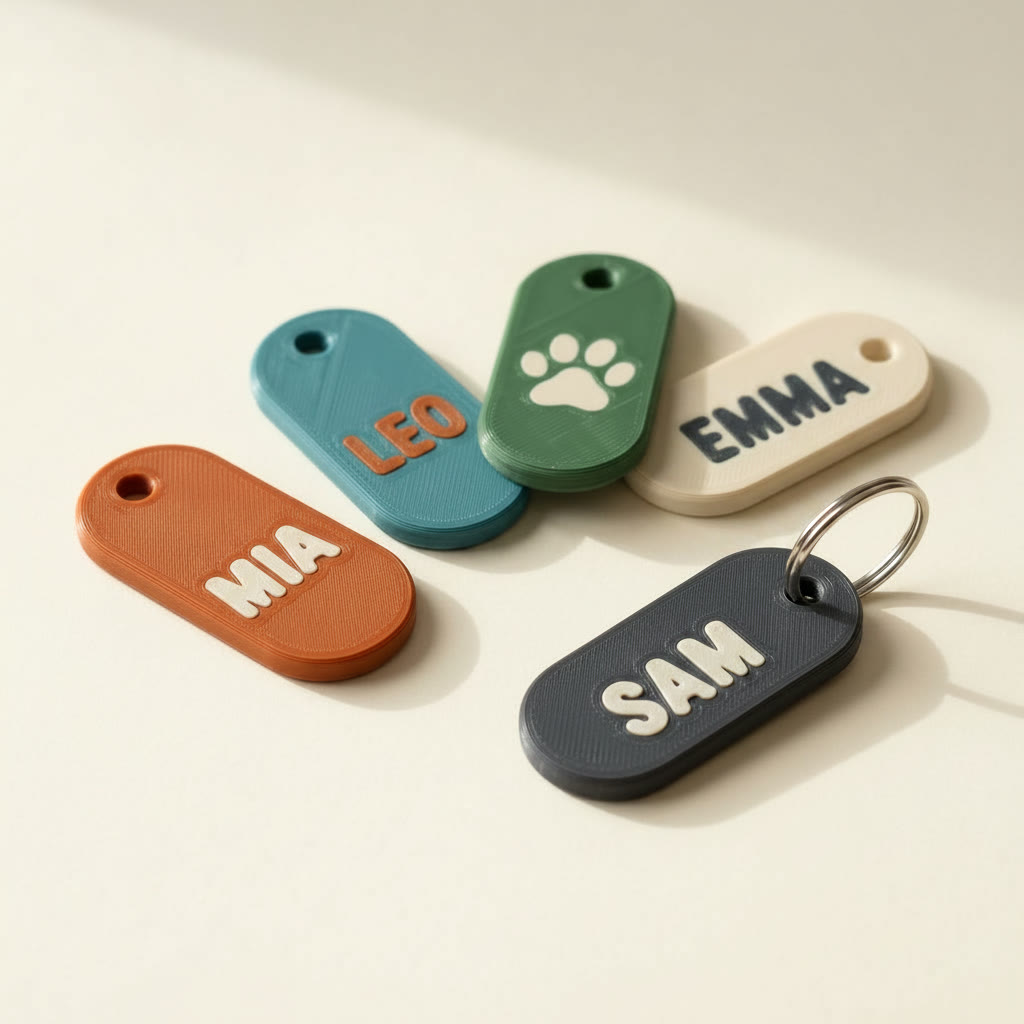
TL;DR: To personalize a 3D printed keychain, open a blank keychain model in Layerpaint, pick Decals → Text, type the name, choose the ink color, place the box and hit Stamp. The name becomes printed color — in the plastic, flush with the surface — and exports as a Standard 3MF your slicer opens already colored. Repeat with the next name in about a minute per tag.
Why a 3D printed keychain with a name is a slicer fight
The text tools inside slicers weren't built for this. Bambu Studio's text tool is single-line only — multi-line support has been one of the most upvoted open requests since January 2023 — and its surface-text option confuses people the moment the tag isn't perfectly flat. Then comes the color part: embossed slicer text is geometry, so making it a different color means painting it or juggling filament assignments per object.
If you already have one of those single-color STLs, you can open it in the free STL viewer to see what you're working with.
The online generators aren't much better. Most name-tag and keychain makers output a single-color STL, cap the fonts behind a paywall, or both. You end up with a grey tag and the color problem still unsolved.
Type the name, stamp it on
Layerpaint's Decals tool treats the name as artwork to stamp, not geometry to model. That's why it's fast:
- Open a blank. Load any keychain, tag or plaque model into the painter — STL, OBJ or 3MF. Blank tag models are everywhere on MakerWorld and Printables; any of them work.
- Paint the base if you want it colored — one Magic Fill click covers the tag.
- Pick Decals → Text. Type the name, choose the ink color, toggle bold.
- Place the box. Drag it onto the tag, resize by the corner, rotate to follow the shape.
- Hit Stamp. The name becomes printed color on the surface, and the ink color joins your palette automatically.
The mesh is refined under the letters as you stamp, so the name slices sharp even on a low-poly tag. If the letters would print thinner than your nozzle can draw at that size, Layerpaint warns you first — size the text up instead of finding out on the print bed.
Doing a batch of names
Making tags for a team, a classroom, or an Etsy order queue is where the slicer route really hurts — every name is a fresh round of text-object placement. In Layerpaint it's a loop you can run in your sleep: stamp the name, export, undo, type the next name, stamp again. The placement box stays where you left it, so every tag comes out consistent. A dozen personalized tags is a coffee's worth of work, and each one is its own 3MF ready to slice.
Two names on one tag — a name and a date, say — is just two stamps: place the first line, stamp, then place the second line under it and stamp again.
The same loop covers everything tag-shaped. A 3D printed keychain is the classic, but pet tags, bag tags, locker tags, tool markers and gift toppers are the identical workflow with a different blank. If you sell personalized prints, this is the difference between quoting a day of slicer work and quoting an afternoon of printing: the labor per name drops to almost nothing, and the printed color means no post-processing before it ships.
Print it in color
Export a Standard 3MF and open it in Bambu Studio, OrcaSlicer or PrusaSlicer — the tag arrives already colored, with the base and the name mapped to filament slots. Print on a Bambu AMS, Prusa MMU3, Anycubic ACE Pro or Creality CFS. The name is printed into the surface, flush — it won't peel, and there's no paint to chip. That's the practical difference between this and every 3D printed keychain that came out of a generator: the color is part of the print, not a finishing job waiting for you afterward.
Two picks make a keychain read well at small size. First, contrast: dark ink on a light tag or the reverse — the filament color matcher helps find real spools that pair. Second, text size: keep the letters chunky. Layerpaint's too-thin warning will catch letters your nozzle can't draw, but starting bold saves the round trip.
Common questions
Can I do more than one line of text?
One line per stamp, as many stamps as you like. Place the first line, stamp, move the box down, stamp the second. Each stamp is independent, so mixed sizes and colors per line work fine.
Is the name raised like embossed slicer text?
No — it's flush with the surface, printed as color. If you want raised lettering, slicer text tools do that; what they don't do is color it. The two combine fine: emboss in the slicer, color in Layerpaint.
Does this work for logos too, not just names?
Yes. The Decals panel has an Image tab that stamps a logo or picture the same way — there's a separate guide for logos.
What does it cost?
Your first export is free, no card. After that each personalized tag counts as its own model: from 70¢ a model in packs, or unlimited exports for a one-off $39.97. Batches are where unlimited pays for itself.