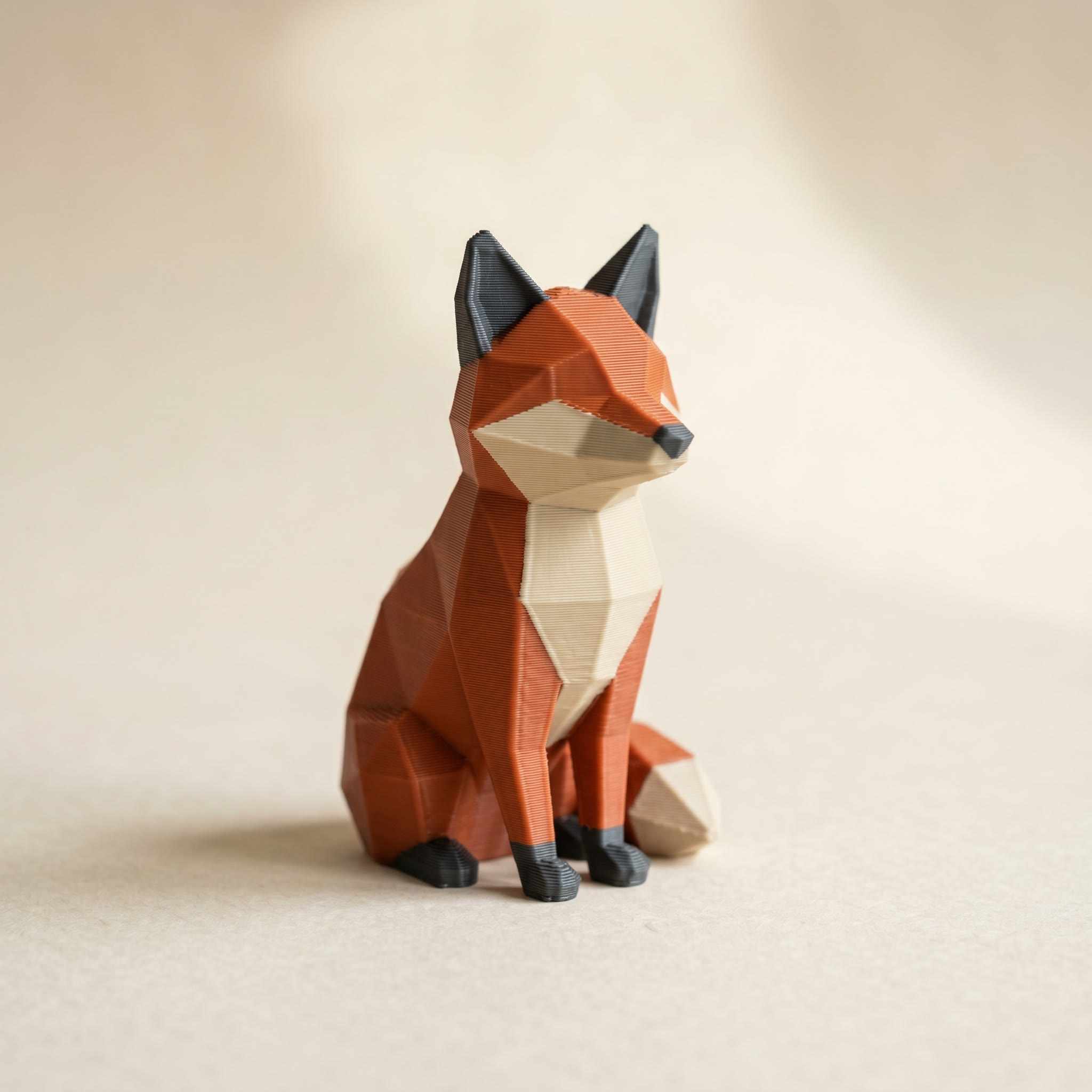
TL;DR: For a quick two-color model you're slicing in Bambu Studio anyway, the slicer's built-in brush is the right tool: it's free and it's one step. A dedicated painter earns its place when you want crease-aware region selection, a real filament library, mirror painting, a swap count, or a Standard 3MF that opens in any slicer instead of one program's project format. Here's the feature-by-feature comparison, and how to pick.
Can you paint multi-color directly in Bambu Studio or OrcaSlicer?
Yes. Both ship a color-painting tool with a brush, a fill (bucket) mode, smart fill that snaps to edges, and a gap-fill option that closes small unpainted slivers. You assign each painted area to a filament slot, and the colors save inside the slicer's project file. For a simple two- or three-color model you're slicing in that same program, you never need a separate app.
This is worth saying plainly, because a lot of "use my tool instead" posts skip it: the slicer's painting works. Open the model, pick the fill tool, turn edge detection on or off, click your faces, assign slots, slice. Bambu Studio even saves the filament list inside the project so it comes back when you reload. If that covers your job, you're done.
What the slicer's brush does well
Three things keep the built-in tool in the running, and none of them are small.
It's already open. You're slicing in Bambu Studio or OrcaSlicer regardless, so painting there costs no extra step. It also does color by layer height: a height-range tool bands colors at set Z heights, which is handy for striped vases and signs. And Bambu Studio has Color Mixing, which alternates thin filament layers to fake a color you don't physically own. A painter that assigns one real filament per triangle can't do that, so the two approaches solve different problems. We covered when to reach for Color Mixing versus a painted 3MF separately.
Where a separate painter pulls ahead
The slicer's brush is built for painting strokes. A dedicated painter is built for the parts of the job that come before and after the stroke. That's the difference, and it shows up in five places.
- Crease-aware regions. Layerpaint auto-partitions the mesh along its crease edges, so a helmet or a fox's snout is one click with the Region tool (
1) instead of a careful brush pass. A crease angle slider tunes how aggressively it splits. - A real filament library. Pick the actual brand and SKU you have spooled (Bambu, Polymaker, Prusament, Overture, Sunlu, eSUN, Elegoo, Creality, Hatchbox, plus Citadel and Vallejo paint references), so the hex that lands in the file matches the filament in your AMS.
- Mirror painting. Paint one side of a symmetric figure or mech and the other side mirrors automatically.
- A swap count. Toggle Show swap bar and Layerpaint tallies how many filament changes each layer needs, so you can reorder the palette to cut purge waste before you commit.
- Gap and sliver cleanup. Find gaps hunts down stray triangles of the wrong color, and Fill borders grows each painted region one step into its unpainted neighbours to close thin slivers at region joins.
Whichever tool you paint in, add your palette chips in the order your AMS or MMU is loaded, slot 1 first. Both Layerpaint and the slicers map color groups to slots by order, not by hex, so getting the order right up front saves a remap later. In Layerpaint, removing a chip after painting unpaints every face that used it, so commit to the order before you start.
Is a painted 3MF portable across slicers?
A Standard 3MF written with the Materials Extension (
<m:colorgroup>) is. Bambu Studio, OrcaSlicer, and PrusaSlicer all read it and map each color group to a filament slot by order. Color you paint inside a slicer's own tool lives in that slicer's project file instead. That's fine if you stay there, but it doesn't reliably carry into a different slicer's lineage. The neutral Standard 3MF is the file that travels.
This is the part that decides it for a lot of people. If you paint in Bambu Studio and you slice in Bambu Studio, portability never comes up. But share that project with someone on a Prusa, or move your own workflow to PrusaSlicer, and the paint doesn't come along, because Bambu's project format and Prusa's are different lineages. Layerpaint only ever ships a Standard 3MF, so the same painted file opens on a Bambu AMS, a Prusa MMU3, an Anycubic ACE Pro, or a Creality CFS. If the colors land on the wrong parts when you open it, that's almost always a slot-order mismatch rather than a broken file, and it's a one-time remap in the parsing dialog.
So which should you use?
Either way, it helps to have actually looked at the mesh first. The free STL viewer turns it over in 3D and reads off the dimensions, no install.
Paint in the slicer when the job is small, you're staying in one program, and you don't need to share the file. It's the fastest path and there's nothing to download.
Reach for a dedicated painter when the model has lots of distinct regions, when you want to see purge cost before you slice, when the figure is symmetric, or when the file has to open cleanly in more than one slicer. Layerpaint also saves your work as a .layerpaint project so you can come back to a half-painted model later. A slicer's paint state, buried in a project file, makes that awkward. Plenty of people do both: rough the big regions in Layerpaint, export, then nudge a face or two in the slicer before slicing.
Common questions
Does painting in the slicer cost anything?
No. Color painting is built into Bambu Studio and OrcaSlicer at no charge. Layerpaint is free to paint in too; the one-time charge only applies when you export the Standard 3MF.
Will a model I painted in Layerpaint still let me touch up colors in the slicer?
Yes. The exported 3MF opens with its color groups intact, and the slicer's own paint tool stays fully available on top, so you can fix a stray face or add a height-banded stripe after import without repainting from scratch.
Can the slicer's gap-fill replace Find gaps in Layerpaint?
They overlap but aren't identical. OrcaSlicer's gap-fill closes small unpainted gaps inside your strokes at slice prep. Layerpaint's Find gaps and Fill borders work on the mesh itself before export, so the file is already clean no matter which slicer opens it next.
Does any of this work without an AMS?
The painting and the export both work. A Standard 3MF is just color data. Whether you can print every color in one pass depends on your hardware, but single-extruder owners still use painted files for manual filament swaps at set layers.
Try it now
Layerpaint runs in your browser. No account, no install, no upload — your mesh stays on your device. Drop an STL on the painter and see how far the Region tool gets you in a minute. When you're ready to export, your first export is free, then $6.97 for 10 exports or $39.97 unlimited. No subscription.
Happy printing.