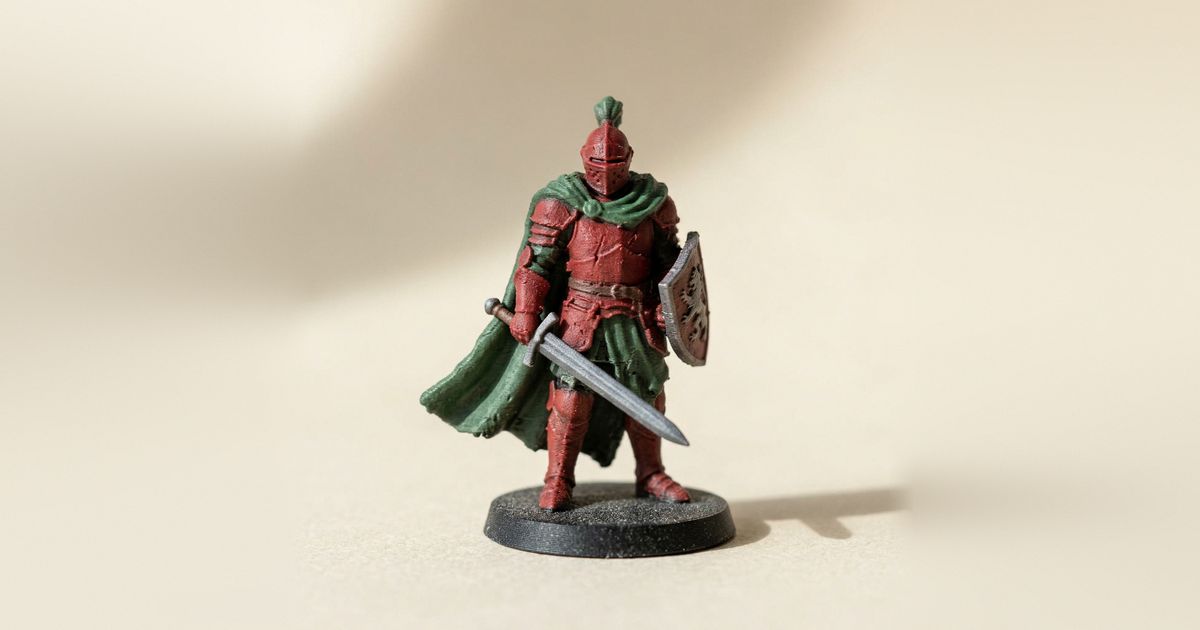
If you design miniatures, you can sell the STL files, earn platform rewards on free uploads, or both. This guide covers where and how to sell STL files, how MakerWorld points work (taken from MakerWorld's own pages), the licensing basics, and one thing most guides leave out: a painted, multicolor 3MF of a mini you've already designed.
Quick answer: where designers sell STL files
There are three broad ways to earn from a 3D model:
- Sell the file. Marketplaces such as Cults, MyMiniFactory and Printables let designers open a store and sell STL files. Fees and payout rules differ by platform and change over time, so read each one's creator pages before you list.
- Sell a membership. Fans pay monthly for access to files, early releases or licences. MakerWorld's Commercial License Membership is one version (details below).
- Earn rewards on free models. MakerWorld keeps every model free and rewards creators with points instead.
Many designers mix these: free models to build an audience, then sell STL files or memberships for the rest.
How MakerWorld points work
"MakerWorld points" is what a lot of designers search for, so here's how MakerWorld itself describes them. Everything in this section comes from the MakerWorld FAQ and the Exclusive Model Program Agreement, checked on 23 Oct 2026. MakerWorld says it can change the programs and point amounts, so check those pages before you plan around any number.
All models are free. MakerWorld's FAQ says "all of MakerWorld's models are free and not behind paywalls". You earn from points, Boosts and memberships, not from selling the file on MakerWorld.
Regular points. You earn them by completing point tasks and by receiving Boosts from other users. The tasks MakerWorld lists include uploading a model, a high-quality model reward, uploading your first print profile, uploading a print profile, and a high-quality print profile reward. Regular points can be redeemed for goods, services or discounts on MakerWorld, but the agreement says they "have no cash, monetary, or other inherent value" and can't be redeemed for cash.
Boosts. Users earn Boost Tokens through activity on MakerWorld and give them to models they like. According to the FAQ, each Boost a creator receives is worth 12 points, or 15 Exclusive Points on an Exclusive Model.
Exclusive Points. If you publish a model only on MakerWorld through the Exclusive Model Program (at least 90 days) or the 14-Day Exclusive Launch Program, that model earns Exclusive Points: 25% more points than a regular model under the Exclusive Model Program, and 10% more during the 14-day launch. Unlike regular points, Exclusive Points can be redeemed for cash once you reach US$100 in rewards, and the agreement values each Exclusive Point at US$0.066. To join, your account needs at least 100 cumulative model prints, and each exclusive model must be your original work.
Print profiles count. Uploading print profiles is one of the listed point tasks. That matters for the multicolor version below, because on MakerWorld the painted colors travel in the print profile.
Commercial License Membership. This lets fans pay monthly for a commercial licence to sell physical prints of your models. MakerWorld lists the eligibility as 200 followers, 600 account prints and no rule-violation removals in the past 90 days. Creators set the price between $3 and $300 a month, MakerWorld takes a 10% platform fee, PayPal fees come on top, and payments reach your PayPal account after a 31-day hold. Licences can only be sold for your own original models.
Licensing and IP in plain words
Before you sell STL files anywhere, make sure you designed them or hold a licence to sell them. MakerWorld's own rules say selling licences for models you didn't create leads to termination from the membership program, and exclusive models must be your original work.
Fan art of trademarked characters or game lines is the grey area people ask about most. It's a question for each platform's IP policy and, if money is involved, a lawyer. This post isn't legal advice.
The same goes for painted versions. If you paint someone else's model, check that model's licence before you sell or share anything. The safe path is to paint your own designs.
The multicolor version: a second thing to offer
Here's the gap. Most guides on how to sell STL files stop at the STL. But buyers who print on a multi-color setup such as a Bambu AMS can print a mini that arrives already colored, which saves them the painting step.
A painted 3MF of a mini you've already sculpted can be:
- a separate listing next to the STL,
- a perk for a membership tier, or
- a multicolor print profile on your MakerWorld model page.
You don't remodel anything. You paint the existing mesh and export a second file.
Layerpaint exports a Standard 3MF that opens already colored in Bambu Studio, OrcaSlicer and PrusaSlicer, with each palette color mapped to a filament slot. If you're weighing that against painting inside Bambu Studio, here's our Layerpaint vs Bambu Studio painting comparison.
How to make the multicolor version from your existing STL
In short: load the STL in the Layerpaint painter, paint it region by region, check for patches too thin to print, and export a Standard 3MF. When you paint by hand, it all runs in your browser and nothing is uploaded. Your first hand-painted export is free; after that, exports come from a pack of 10 for $6.97 or an unlimited licence for $39.97.
The full walkthrough, step by step, is in multicolor D&D miniatures on a Bambu AMS. For filament choices that look good in listing photos, see the best filament for miniatures. If your design uses more colors than you have slots, read more colors than AMS slots.
Shipping it: what buyers on other slicers see
Two things to get right before you list:
- Standard 3MF vs project 3MF. The Standard 3MF from Layerpaint is portable across slicers. A sliced project 3MF from Bambu Studio also carries print settings. Our 3MF file explainer and 3MF vs STL cover the difference.
- Buyers on other slicers. Point them to opening a Layerpaint 3MF in OrcaSlicer or in PrusaSlicer for the MMU3.
Want to offer more than one colorway? You can change the filament colors of a painted 3MF without repainting, with the free 3MF recolor tool or the steps in recolor a painted 3MF without repainting.
Putting it on MakerWorld with a print profile
MakerWorld's FAQ describes a print profile as a Bambu Studio 3MF that holds the model plus its print settings, including the painted colors and filaments. So the flow is: export the Standard 3MF, open it in Bambu Studio, check the color mapping, slice, save the project, and upload that project 3MF as a print profile with the "+Add" button on your model page.
The five steps are in share a painted multicolor model on MakerWorld. Want to see painted examples first? Browse the Layerpaint gallery.
Who owns the paint work
Layerpaint's terms are plain about this: "Use Layerpaint for personal or commercial work. Sell the things you paint and print — we don't take a cut and don't claim any rights in your output." You own your models and the paint work you do on them.
Common questions
Where is the best place to sell STL files?
It depends on how you want to earn. File marketplaces suit per-file sales. Memberships suit designers with regular releases. MakerWorld keeps models free and rewards you with points and Boosts. Many designers use more than one.
Can I sell a painted version of someone else's model?
Only if that model's licence allows it. Check the licence first. Painting your own designs avoids the question.
Do buyers need an AMS?
To print the colors, they need a multi-color setup: a Bambu AMS, Prusa MMU3, or a similar system. On a single-color printer the same file prints in one color.
Does MakerWorld keep the colors?
Through the print profile, yes. Upload the sliced Bambu Studio project 3MF as a print profile and downloaders get the painted colors. A bare STL carries no color at all.
Your next step
Pick one mini you've already designed and have the rights to sell. Load the STL into the Layerpaint painter, paint it, and export the 3MF. Your first hand-painted export is free, so you can see the multicolor version before deciding how to offer it.